

Lucky Lantern – Screw Puzzle Unity Source Code
$25.00
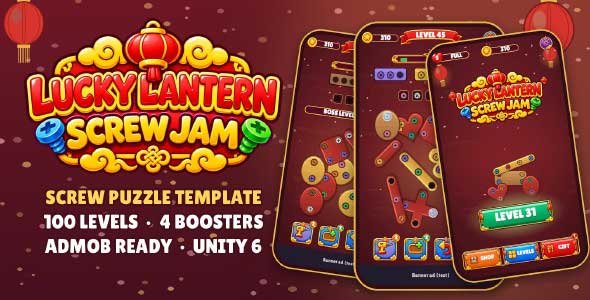
- 100 Levels
- 12 Plank Shapes In 3 Finishes
- 10 Screw Colors
- 4 Boosters
- AdMob Banner, Interstitial & Rewarded Ads
Description
Lucky Lantern – Screw Puzzle Unity Source Code is a complete, ready-to-publish template for Android and iOS. Unscrew colored screws, drop them into matching boxes and watch the lacquered wooden planks swing and fall. A cozy Lunar New Year theme with lanterns, gold and red lacquer makes it perfect for the Chinese New Year season – and easy to reskin for Valentine, Ramadan or any event.
How to play
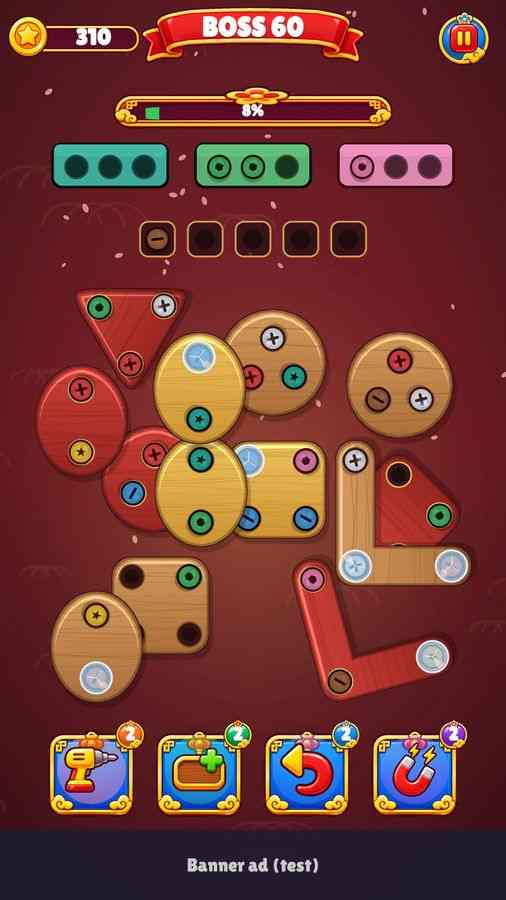
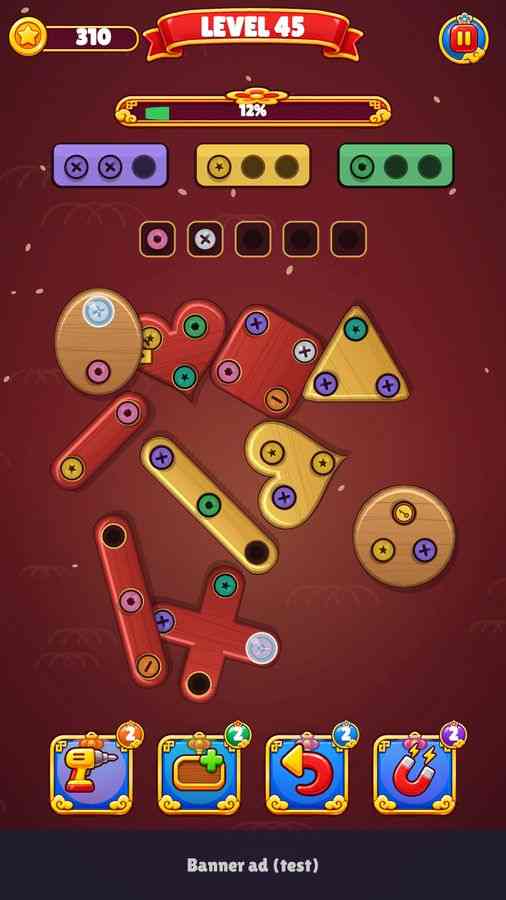
- Tap a screw that no plank covers – it flies into the open box of its color, or into the tray.
- A box with 3 screws closes and leaves; the next box pulls matching screws out of the tray automatically.
- Planks swing on their last screw and fall when they are free. Collect every screw to win.
- The level is lost when the tray is full and nothing fits – continue with coins or a rewarded ad.
Documentation
A 19-page PDF is included: quick start, project structure, game systems, levels and generator, AdMob setup step by step, reskin guide, audio slots, Android and iOS builds, scripting examples, troubleshooting and licenses.
Third-party content
- Lilita One font – SIL Open Font License 1.1 (included)
- Unity packages from the Unity registry (URP, Input System, TextMesh Pro) – Unity Companion License
- Not included: Google Mobile Ads Unity Plugin and External Dependency Manager (Apache 2.0) – download from Google
- Music, sound effects, UI art, icons, logo and sprites were created for this project
Important notes
- The Google Mobile Ads SDK is not bundled. Import it, add your AdMob App ID and unit IDs and set the LL_ADMOB define before release (see the PDF). Only Google test IDs are included.
- You are responsible for your AdMob account, store listings, privacy policy and compliance with Google Play / App Store and AdMob policies.
Instructions
- Open the screw puzzle Unity code with Hub (6000.3 or newer) and wait for the import.
- Open Assets/LuckyLantern/Scenes/LLS_Menu.unity and press Play (portrait 1080×1920).
- Read the included 19-page PDF for game systems, levels, reskin, audio and building.
- Before release import the Google Mobile Ads plugin, enter your AdMob IDs and add the LL_ADMOB define (PDF chapter 7).
- Change company, product and package name in Player Settings, then build for Android or iOS.
Requirements
- Unity 6000.3 (Unity 6 / 6.3 LTS) or newer
- Universal Render Pipeline and the New Input System (already set up)
- Android 7.1+ (API 25, IL2CPP ARM64) and iOS 15+
- For AdMob on iOS: Xcode + CocoaPods; Google Mobile Ads Unity plugin (free, not included)
You must be logged in to post a review.


Reviews
There are no reviews yet.