
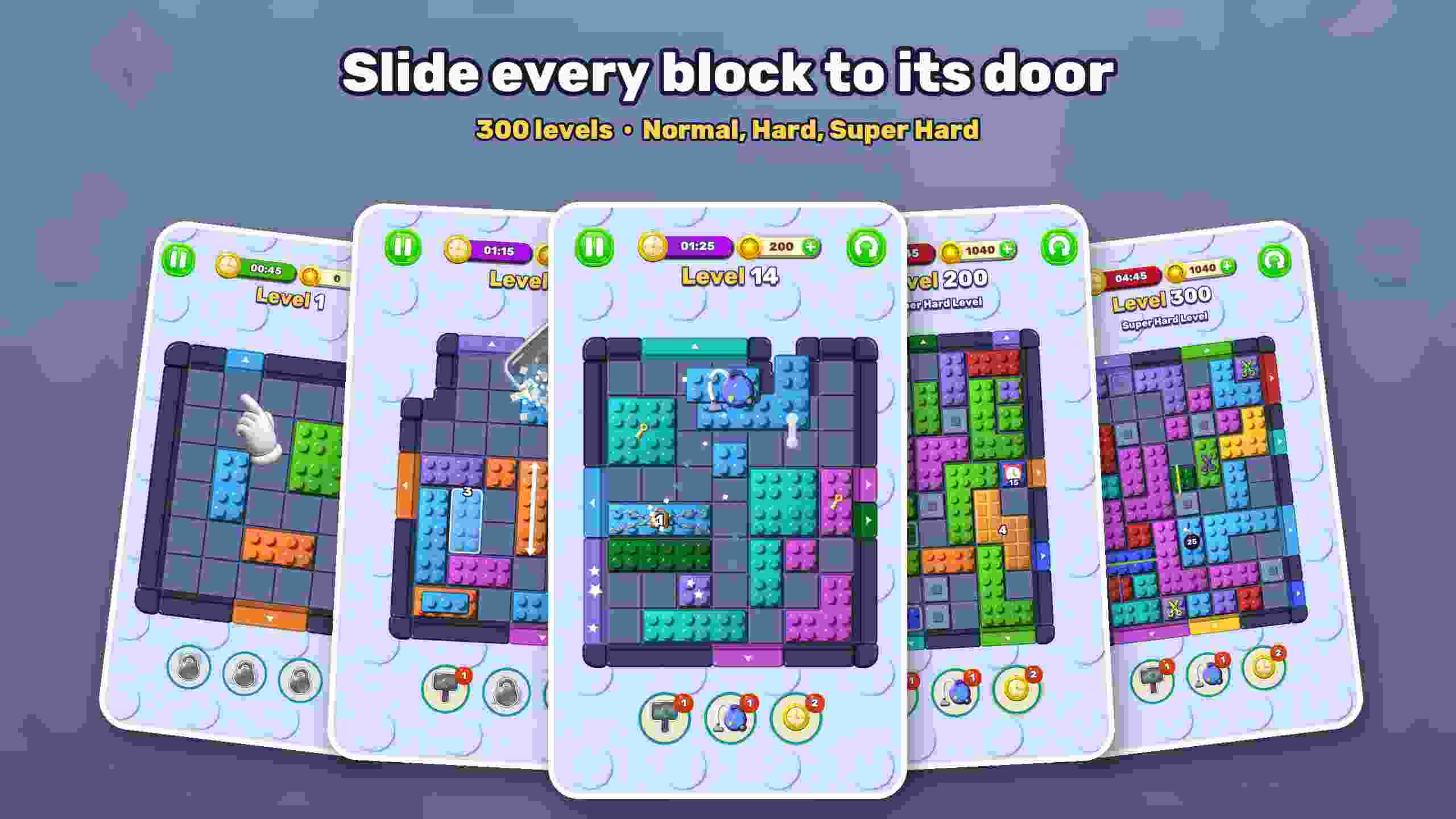
Block Gate – Color Block Jam Unity Source Code
$29.00
- 300 Levels
- 27 Mechanics
- Boosters
- Level Editor
- Unity LevelPlay and Google AdMob adapters
- In-app purchase
Description
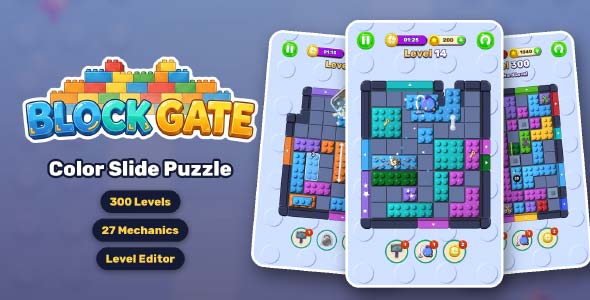
Block Gate – Color Block Jam Unity Source Code is a trending template that comes with 300 levels and a level editor.
How to Play?
Drag each colored block out through a door of its color before the timer runs out. Blocks of many shapes share a grid; doors in the frame have a color and a length, and a block slides out once it lies against a door of its color that is wide enough. Locks, ice, ropes, bombs, crates, gates and hopping blockers turn each new level into a new puzzle; boosters (Time Boost, Hammer, Color Sweep) help when the clock runs low.
What You’ll Get?
- Full Unity puzzle game template (C#) with a demo scene, built-in render pipeline
- 300 levels on a Normal / Hard / Super Hard curve, each one proven winnable by the built-in solver
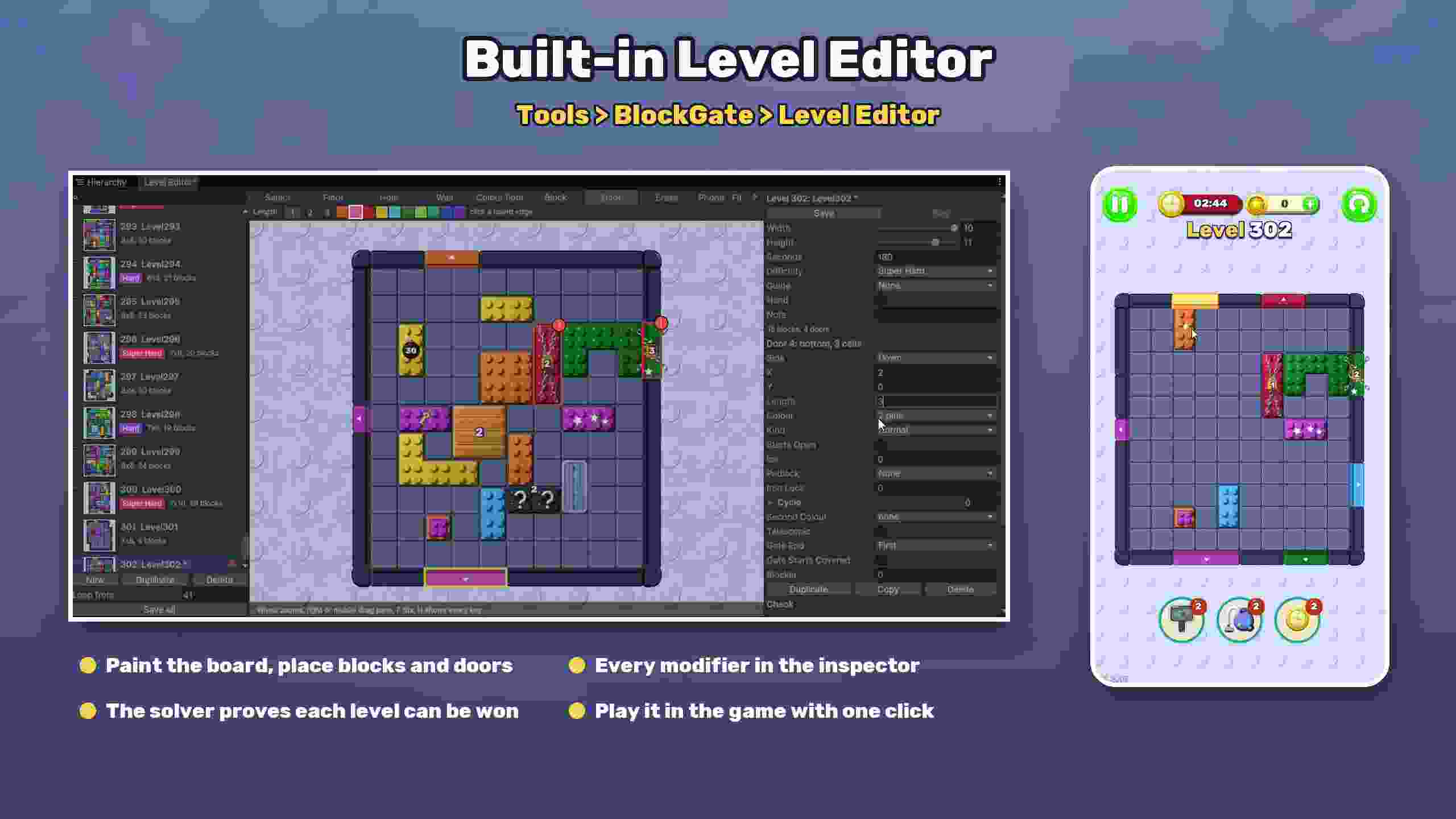
- Level Editor window: paint the board, place blocks and doors, set every modifier, check and play-test levels
- 27 mechanics, each introduced by its own guide page
- Coins, shop, booster offers, revive and a rewarded multiplier on wins
- Glossy 3D-rendered block art and a uGUI interface you can restyle
- UI sounds, music and the Rubik font
- 16-page PDF manual
Note: ads and purchases run in simulation mode in the Editor, so the game can be tested right away. To go live, install the free SDKs (Unity LevelPlay or Google Mobile Ads, and Unity IAP) and enter your own ids. Real purchases work only once the game is live on Google Play / App Store. iOS is supported by the code (ATT, restore purchases) and needs a Mac with Xcode to build.
Third-party
Rubik font (SIL OFL 1.1), a UI shader derived from Unity’s UI/Default (MIT), and the buttons and icons of “Hyper casual mobile GUI” by Marya_Belevich (Unity Asset Store); see Third-Party Notices.txt in the download.
Instructions
- Create a new empty project in Unity 6000.0.77f1 (built-in render pipeline).
- Assets > Import Package > Custom Package…, pick BlockGate.unitypackage and import everything. As a complete project it replaces the project settings, so do not import it into an existing game.
- Open Assets/Zelix/BlockGate/Scenes/Game.unity and press Play.
- Open the Level Editor under Tools > BlockGate > Level Editor. The PDF manual covers ads, purchases, reskinning and building.
Requirements
- Unity 6000.0.77f1 with the built-in render pipeline.
- Android 6.0+ (API 23, IL2CPP ARM64) and iOS 13+, portrait.
- Ad and IAP SDKs (Unity LevelPlay, Google Mobile Ads, Unity IAP) are optional free packages.
You must be logged in to post a review.
Related products
-

-
Penalty Unity Source Code
- $24.00
-


Reviews
There are no reviews yet.