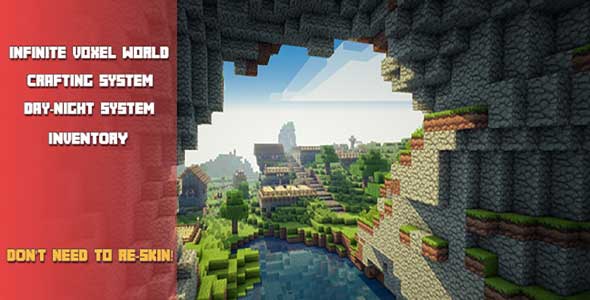
Minecraft Kit – Complete Unity Source Code is a powerful starting point for developers who want to build their own voxel-based sandbox experience using professional-grade source code. Designed as a Minecraft-inspired framework, this kit provides a solid foundation for creating, learning, and experimenting with custom ideas inside the Unity engine. Whether you are a beginner exploring game development or an experienced creator looking to speed up production, this solution offers everything you need to begin your journey.
Built with flexibility and performance in mind, the project focuses on delivering core sandbox mechanics while remaining easy to customize. It is not just a demo—it is a fully functional base that encourages creativity and experimentation, making it ideal for developers who want to understand how popular voxel games are structured at the source-code level.
Unity Template for voxel-based sandbox games
This Unity template is designed to help developers quickly create games similar to Minecraft without starting from scratch. At its core is an infinite voxel world generation system that allows players to explore endlessly, just like in classic sandbox titles. The procedural generation ensures that each world feels dynamic and unique, providing a strong technical backbone for any voxel-based concept.
The template also includes a simple Minecraft-style menu system that is easy to modify and extend. Developers can quickly adjust visuals, UI elements, and gameplay flow to match their own vision. A lightweight customization system makes it possible to tweak blocks, environments, and gameplay rules without rewriting major portions of the code. For anyone interested in learning how voxel engines work, this Unity template serves as a clear and practical reference.
Unity Project built for learning and customization
As a complete Unity project, this source code is especially valuable for developers who want to learn by example. The structure is clean and organized, making it easy to navigate through scripts, systems, and assets. Core gameplay features such as inventory management, swimming mechanics, and environmental interactions are already implemented, allowing you to focus on expanding or refining functionality.
The project includes a day–night cycle system that adds realism and atmosphere to the game world. This feature demonstrates how time-based systems can influence lighting, ambience, and gameplay behavior. Additionally, the integrated sound manager and audio clips—styled similarly to the original inspiration—show how audio systems can be structured and reused across different gameplay events. For educational purposes or rapid prototyping, this Unity project offers exceptional value.
Unity Game source code for creative freedom
This Unity game source code is designed to empower creativity. While it draws inspiration from Minecraft, it is intentionally open-ended, encouraging developers to add their own ideas, mechanics, and visual styles. You can introduce new block types, tools, crafting systems, or even entirely new gameplay modes using the existing framework.
Because the website focuses on source code, this kit stands out as a practical investment for developers who want real, editable systems rather than locked-down assets. It is ideal for indie developers, students, and hobbyists who want to understand how a full sandbox game works under the hood. With its infinite world generation, core survival mechanics, and modular design, this Unity game provides a strong base for creating something truly original.
In summary, this complete Unity source code package offers an excellent balance between functionality, learning potential, and creative freedom. It is a reliable starting point for anyone looking to build a voxel-based sandbox experience and turn inspiration into a fully realized game.
Features
- Generation voxel world (infinity);
- Simple minecraft styling menu;
- Simple system for customization;
- Sounds manager and audio clips like original;
- Day-Night system;
- Swimming system;
- Inventory, etc.
Requirements
- Unity 5.6.0+
Instructions
- Download and unzip game project.
- Start Unity3D Engine 5.6.0+
- Click “Open Project” and select unzipped game project.
- Wait..project importing.
- When importing files complete open “Assets” – > “Scenes” -> “Menu” and start Menu.scene.
- Re-skin: you need only change texture atlas (video tutorial included):
- You can make your texture atlas and replace current or add new.