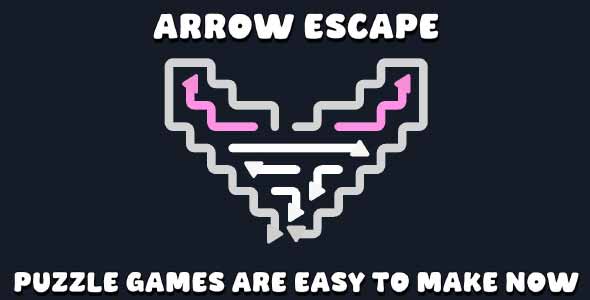
Arrow Escape Unity Source Code is a professional, grid-based puzzle solution created for Unity developers who want to build smart, logic-driven arrow games with clean and reusable source code. Designed specifically for source code marketplaces, this package delivers a flexible Unity template, a well-structured Unity project, and a polished Unity game foundation that can be easily customized, reskinned, and expanded.
Arrow Escape focuses on minimal yet challenging puzzle mechanics where players must think ahead and plan each move carefully. With mobile-friendly input, editor tools, and ScriptableObject-based level data, this source code package is ideal for indie developers, studios, and learners looking to create high-quality puzzle games efficiently.
Unity Template for Grid-Based Arrow Puzzle Mechanics
This Unity template is built around a clever grid-based puzzle system where players move arrows that slide automatically in the direction they face. Once an arrow is activated, it continues moving until it hits an obstacle or exits the grid, creating satisfying cause-and-effect gameplay that rewards strategic thinking.
The template includes a complete grid system, arrow movement logic, and rule handling to ensure consistent behavior across all levels. Because movement is deterministic, players must carefully analyze the grid layout before making a move, increasing puzzle depth and replayability.
One of the biggest advantages of this Unity template is its use of ScriptableObject-based level data. Levels can be created, edited, and balanced directly inside the Unity Editor without touching code. This makes it extremely efficient to design new puzzles, test variations, and iterate quickly.
An Arrow Themes Editor is also included, allowing developers to easily customize arrow visuals and styles. Combined with mobile-friendly input support, this template is ideal for both casual mobile games and more complex logic puzzle experiences.
Unity Project with Clean Structure and Editor Tools
As a complete Unity project, Arrow Escape is organized following Unity best practices. Scripts, assets, and data are clearly separated, making the project easy to navigate and extend. Developers can quickly understand how the systems interact, which is especially important for source code–focused products.
The project includes built-in editor tools that streamline level creation and customization. Using the ScriptableObject workflow, developers can add new levels, modify grid layouts, and tweak arrow behavior without modifying the core logic. This reduces development time and minimizes the risk of bugs when expanding content.
Mobile-friendly input is fully supported, ensuring smooth gameplay on touch devices, while remaining adaptable for desktop or tablet platforms. Because the full source code is included, developers maintain complete control over optimization, feature expansion, and platform-specific adjustments.
This Unity project is an excellent starting point for adding advanced features such as move limits, timers, hints, scoring systems, or monetization layers. Its clean architecture makes it easy to scale from a simple puzzle game to a fully featured commercial product.
Unity Game Foundation for Smart Puzzle Experiences
This Unity game foundation is designed to deliver satisfying, logic-based gameplay with minimal complexity and high clarity. The sliding arrow mechanic creates unique puzzle scenarios where every move matters, encouraging players to think ahead and learn from mistakes.
The clean visual presentation and responsive input make the game intuitive for players of all skill levels. Each level feels like a compact brain teaser, making the game perfect for short play sessions while still offering long-term engagement through clever level design.
For developers browsing source code websites, Arrow Escape Unity Source Code represents a high-value asset. It can be released as-is, reskinned with new themes, or expanded with additional mechanics and game modes. It also serves as a strong learning resource for grid-based movement, ScriptableObjects, and custom editor tools in Unity.
In conclusion, Arrow Escape Unity Source Code offers a powerful and flexible solution for creating arrow-based puzzle games. With a modular Unity template, a well-structured Unity project, and a polished Unity game foundation, this source code package is an excellent choice for developers seeking clean, scalable, and customizable puzzle game source code built with Unity.
Features
- Grid-based movement system
- Arrow slide logic with collision detection
- 7+ Arrow Theme
- Admob Integration
- Level creation using ScriptableObject assets
- Mobile and desktop input support
- Customizable arrow graphics and sounds
- Move tracking and win/lose handling
Requirements
- Unity 2021.3 or newer
- ArrowEscape.unitypackage imported into the project
- Optional: TextMeshPro for advanced UI
- Compatible with desktop and mobile projects
Instructions
Installation
- Open Unity.
- Go to “Assets → Import Package → Custom Package…”.
- Select ArrowEscape.unitypackage and import all files.
Play the Demo Scene
- Open the folder ArrowEscape/Game_Scene.
- Open the GameScene.
- Press Play to test the arrows and movement.
Create a New Level
- Right-click in Project → Create → ArrowPuzzle → LevelData.
- Set grid size, max moves, and arrow positions.
- Drag the new LevelData into the LevelManager’s Levels list.
Customization
- Edit ArrowPrefab to change arrow graphics.
- Edit AudioManager to replace sound effects.